
Transmission Basic Settings, Gear Learning, and Calibration Procedures with Launch 919X BT
Basic Transmission Settings, Gear Training and Calibration Operations with Launch 919X BT
Review all technical details in transmission programming, calibration, and adaptation operations with Launch 919X BT. Each step is presented with detailed explanations and important notes.
1. Basic Preparation and System Check
- Vehicle Status:
- Parking brake engaged
- Gear in P position
- Engine at normal operating temperature (80-90°C)
- Battery voltage above 12.5V
- System Checks:
- Engine warning light check
- Transmission warning light check
- Oil level and temperature check
- Mechanical noise check
- Connection Steps:
- Locate the OBD2 port
- Connect and turn on your Launch 919x BT Device
- Select vehicle make
- Enter model year
- Select transmission type
2. Gear Adaptation
- Initial Operations:
- Select transmission control unit
- Enter "Adaptation" menu
- Select adaptation type
- Confirm safety warnings
- Test Conditions:
- Choose an enclosed, flat area
- Test without passengers or cargo
- Fuel tank should be at least half full
- Driving Phases:
- Accelerate to 20 km/h in 1st gear
- Stay in each gear for 30 seconds
- Perform gear shifts at normal speed
- Avoid sudden acceleration and braking
- Control Points:
- Observe gear shift firmness
- Check for abnormal sounds
- Check for vibrations
3. Basic Transmission Settings
- Program Selection:
- Select "Basic Settings" menu
- Verify transmission type
- Check software version
- Parameter Settings:
- Check gear ratios
- Adjust clutch pressures
- Optimize gear shift times
Important Warning!
Do not interrupt the basic settings process. Otherwise, the transmission control unit may be damaged.
4. Transmission Calibration
- Calibration Steps:
- Select calibration menu
- Teach clutch points
- Adjust gear shift pressures
- Calibrate torque converter lock-up
- Fine Adjustments:
- Optimize gear shift timing
- Fine-tune pressure values
- Adjust temperature compensation
5. Testing and Control Operations
- Test Drive:
- Test in all gears
- Check gear transitions
- Check for vibration and noise
- Test torque converter lock-up
- Diagnostic Check:
- Check error codes
- Verify adaptation values
- Check sensor data
- Final oil temperature check
- Final Report:
- Record adaptation values
- Report test results
- Inform customer
6. Special Cases and Troubleshooting
- Connection Issues:
- Check OBD port cleanliness
- Update device software
- Check battery voltage
- Try alternative connection methods
- Adaptation Errors:
- Restart the process completely
- Check transmission temperature
- Clear error codes and try again
- Perform emergency programming if necessary
Attention!
Some vehicle models may require special procedures. Always check manufacturer instructions and contact technical support if necessary.
7. Maintenance and Periodic Checks
Transmission fluid check every 60,000 km
Annual adaptation check
Fluid level check every 6 months
Regular error code scanning
- Change transmission fluid on schedule
- Check filters regularly
- Monitor gear shifts regularly
- Be alert for abnormal sounds
- Perform regular diagnostic checks
8. Important Tips and Recommendations
- Driving Habits:
- Don't stress the vehicle before warm-up
- Avoid sudden gear changes
- Stay in D position in stop-and-go traffic
- Don't shift at high RPMs
- Maintenance Tips:
- Use original oil and filters
- Check fluids regularly
- Address problems promptly
- Keep service records
Final Checklist
- ✓ All adaptation steps completed
- ✓ Error codes cleared
- ✓ Test drive completed
- ✓ Values recorded
- ✓ Customer informed
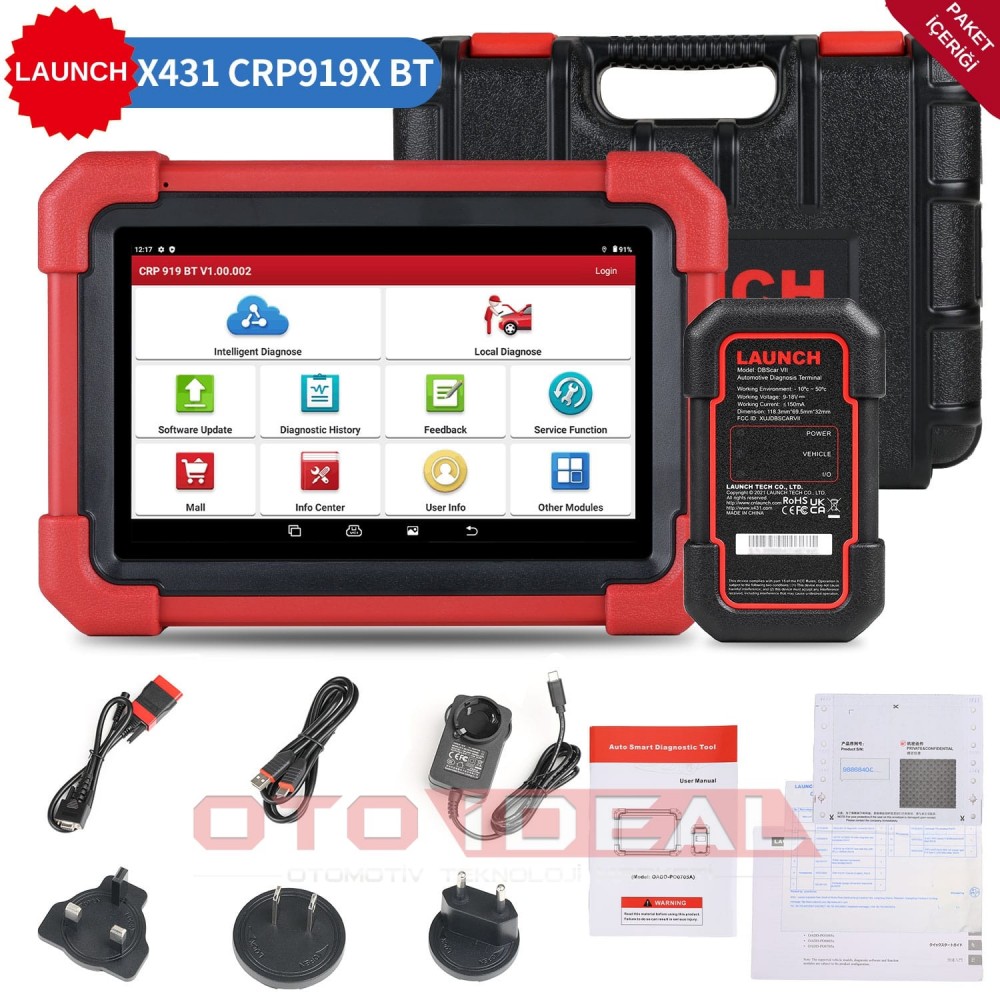
Launch CRP 919X BT
Diagnostic Device
Products mentioned in this article
View all
Related Articles
View all
BMW ICOM A2/A3 Firmware Update Process | How to Fix Device in Recovery Mode?
ICOM A2/A3 not working, red lights flashing? BMW diagnostic device troubleshooting, firmware recovery and connection problems detailed repai...
Read More
Launch CRP 919X BT OBD2 Scanner | 2025 Best Bluetooth Diagnostic Tool
Launch CRP 919X BT professional automotive diagnostic tool. Bluetooth OBD2, DoIP/CAN-FD support, 99% vehicle compatibility. ✓ 2-year warrant...
Read More
Autel MX808S | Best Mileage Verification Tool 2025
Autel MX808S for safe used car purchase. Mileage verification, ECU analysis, 80+ brand support. ✓ Android 11 ✓ 7-inch screen ✓ Free shipping...
Read More
FORScan Ford and Mazda Vehicle Diagnostics and Coding | Download FORScan Software
Professional Ford, Mazda, Lincoln and Mercury vehicle diagnostics with FORScan software. ELM327, VCM2 compatible. Free download, installatio...
Read More